Permissions
An agent acts as the Kirby user who connected it. It can never do more than this user can do in the Panel. On top of that, each connection has its own permissions:
- Read pages, files, content, and blueprints
- Prepare content changes for review
- Publish content changes and change the status of pages
- Create, rename, move, and sort pages
- Delete pages
- Upload files
- Delete files
A new connection gets the first two. The agent can read your whole site and change content, but its changes don't go live. They wait as unsaved changes on the page, and you decide in the Panel whether to save or discard them.
This is a good start for most sites. When you trust an agent with more, like publishing its changes or creating new pages, give it the permission for that.
Changing the permissions
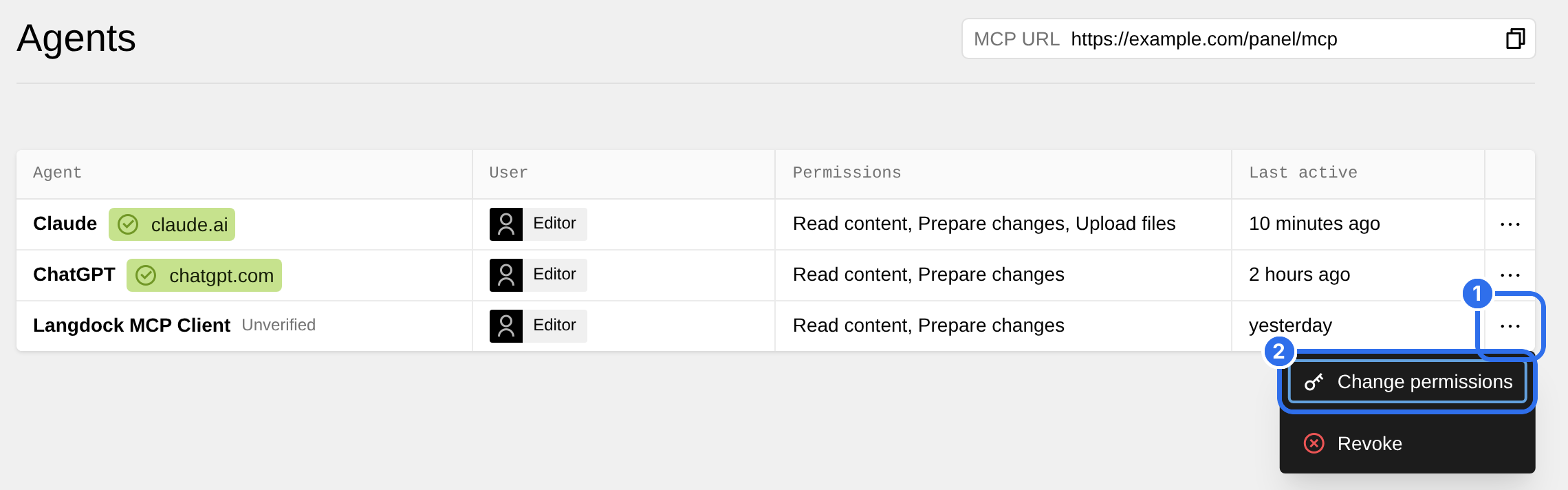
Open the Agents view in the Panel. Each row is one connection, with the agent, the user and the permissions. Admins see the connections of all users.
Click the options of a connection (1) and choose Change permissions (2).
Select the permissions (1) and click Save (2). The dialog only lists the permissions that the role of the user allows.
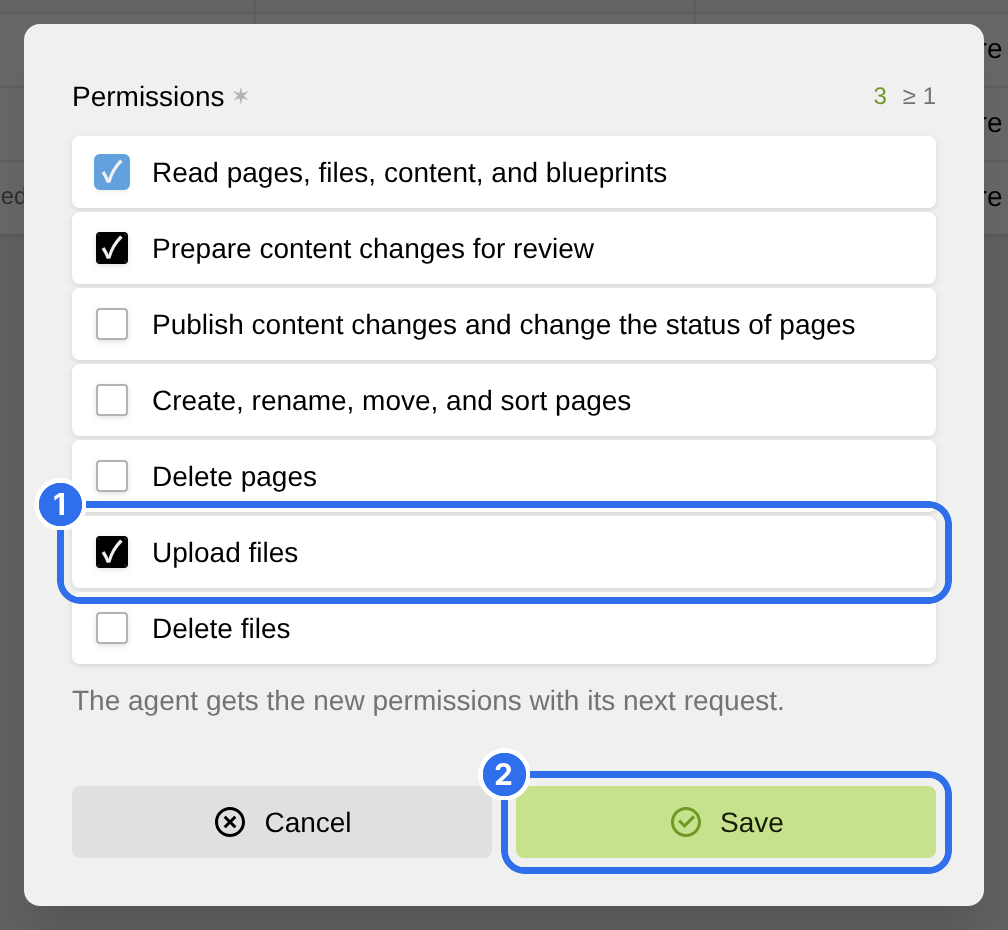
The agent gets the new permissions with its next request. It doesn't have to connect again.
Asking during a chat
You don't have to decide everything up front. When an agent needs a permission it doesn't have, it asks you first, and then tries the tool. Claude and ChatGPT then open the consent screen again with the missing permission. With other apps, add the permission in the Agents view.
Revoking access
To remove the access of an agent, choose Revoke in the options of the connection. The agent loses access at once and has to connect again to use your site.
When you change the role of a user, or delete the user, Kirby Agents revokes all connections of this user.